YOUR QUICK START · 01
Pin it. Find it. Walk.
Keep your next walk
one click away.
PINNING YOUR PLANNERFollow these steps in your Chrome toolbar
-
01
Open Extensions
Click the puzzle piece at the top right of Chrome.
New Tab ×+←⋮Look for the puzzle pieceChrome toolbar · illustrated guide -
02
Pin your planner
Click the pin next to Walking Route Planner.
 Walking Route Planner
Extensions menu · illustrated guide -
03
Open your planner
Click its new toolbar icon. Your map opens in a new tab.
New Tab ×+⋮This is your shortcut to a walkAfter pinning · illustrated guide
YOUR QUICK START · 02
Two points. One good walk.
Your first route,
in three steps.
PLANNING YOUR FIRST WALKReal screens from your planner
- 01
Open your planner
Click the green Walking Route Planner icon in Chrome’s toolbar.
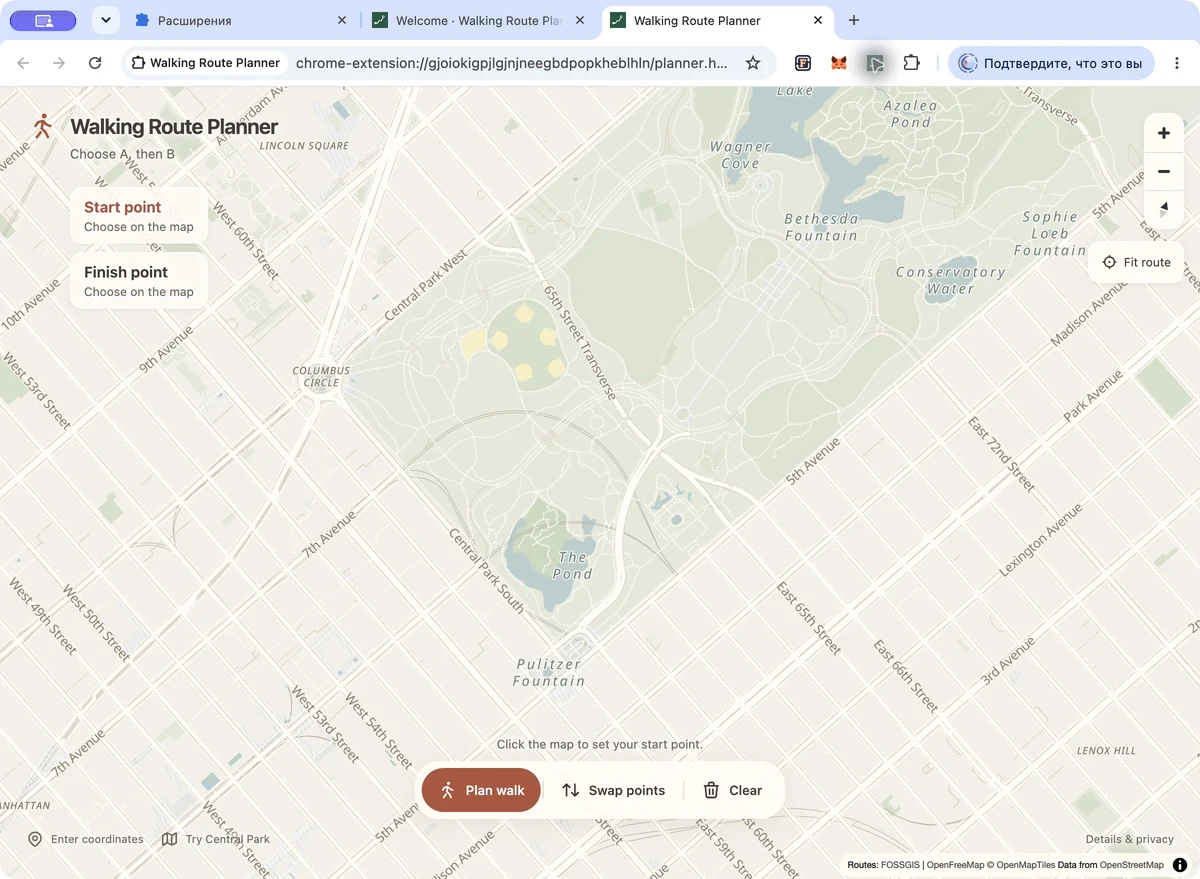
Open the map View full screenshot ↗ - 02
Choose A, then B
Click the map to set your start point and your finish point.
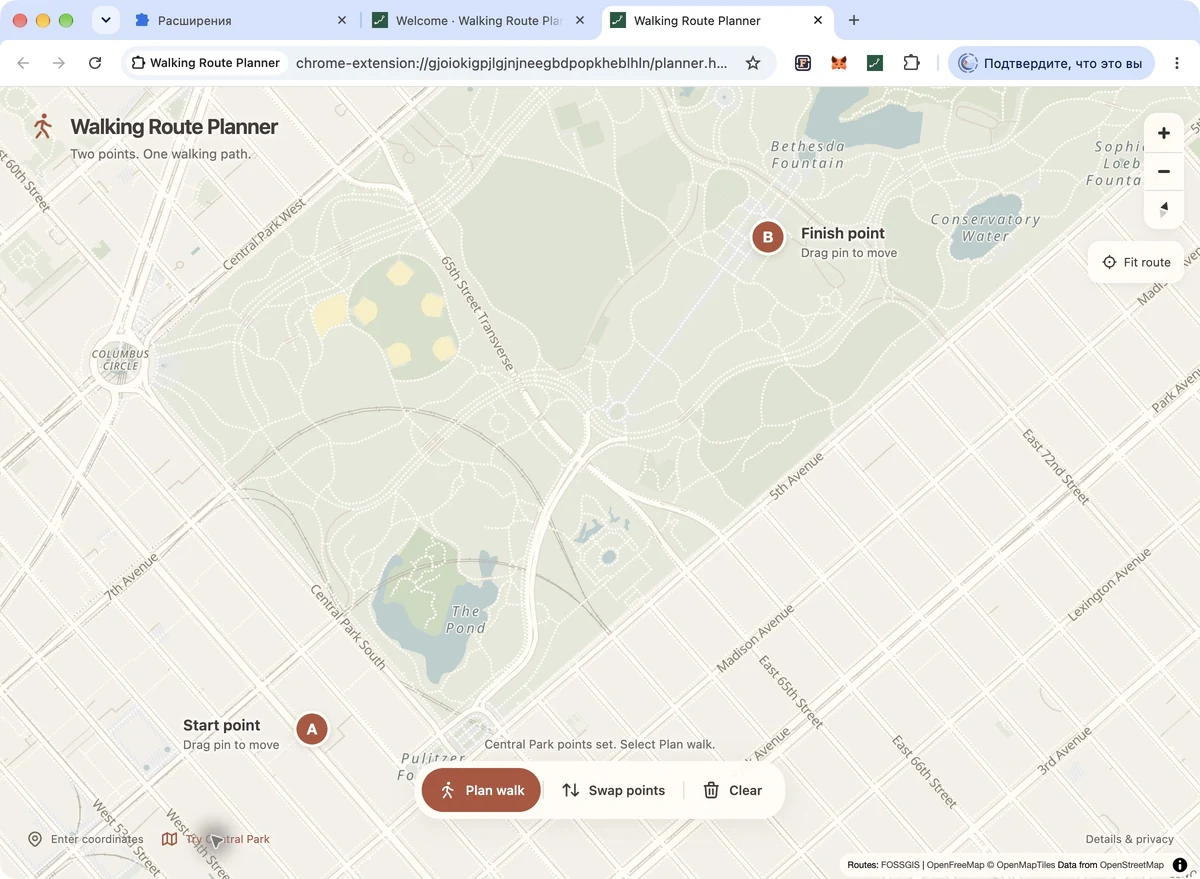
Set your two points View full screenshot ↗ - 03
Plan your walk
Click Plan walk for your walking path, distance and estimated time.
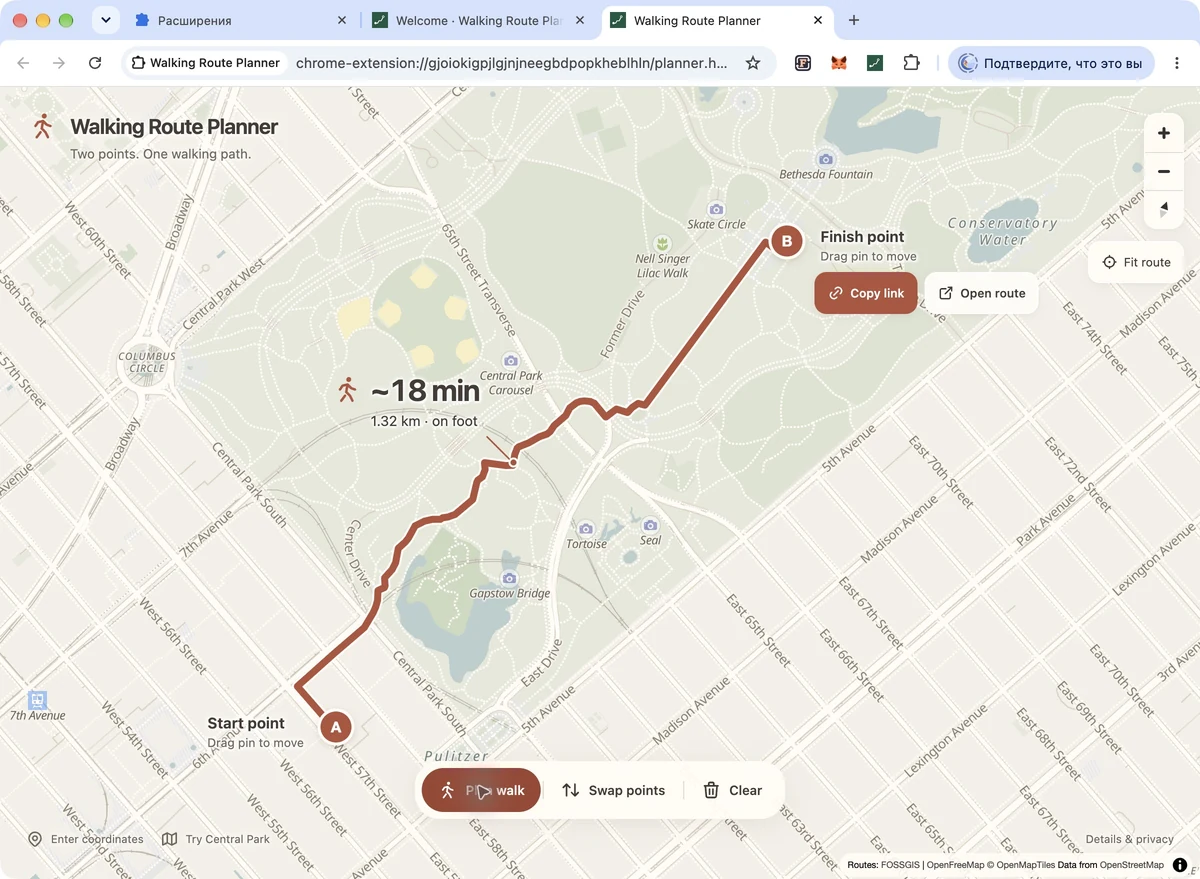
Your route is ready View full screenshot ↗

FOR YOUR NEXT WALK
Just look for this icon.